 Azuma
Azuma Chrome extension · coming to the Web Store
ProConnect Power Tools
The tools a preparer reaches for all day, added to Intuit ProConnect Tax: keyboard shortcuts, checkmarks for the amounts you've tied out, flags, and a dark mode.
What it does
Keyboard shortcuts
New, duplicate, delete (it asks first), next and previous record. Alt+/ lists them all.
Verify with Alt+V
A green check sits beside a box while it still holds the amount you verified, so you can see when a number changed after you checked it.
Flags with notes
Flag a box with Alt+F using ProConnect's own flags, and see the open flags on each screen.
See what's done
Boxes you've entered show blue and boxes you've verified show green, so a screen's progress is visible at a glance.
Dark mode
Includes the tax forms on Check return, with a light, dark or follow-the-computer picker.
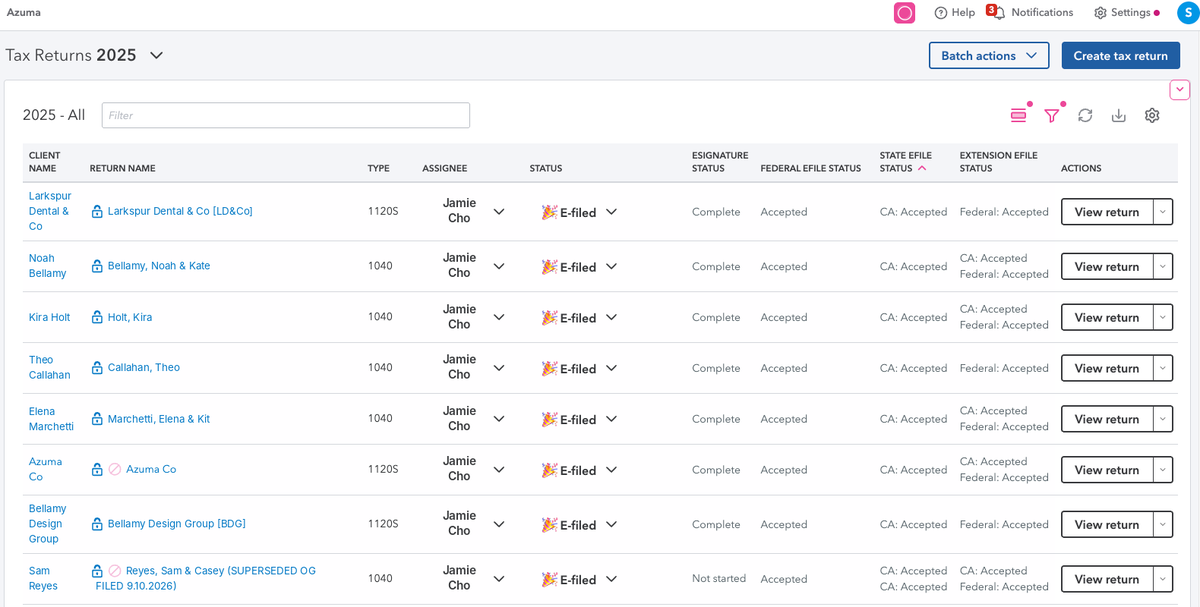
Sort any column
Click a heading to sort the Tax Returns list, including the e-file columns ProConnect leaves unsorted.
Filter by column
The pink funnel filters the list by the values in any column, such as only the returns whose federal e-file is Accepted.
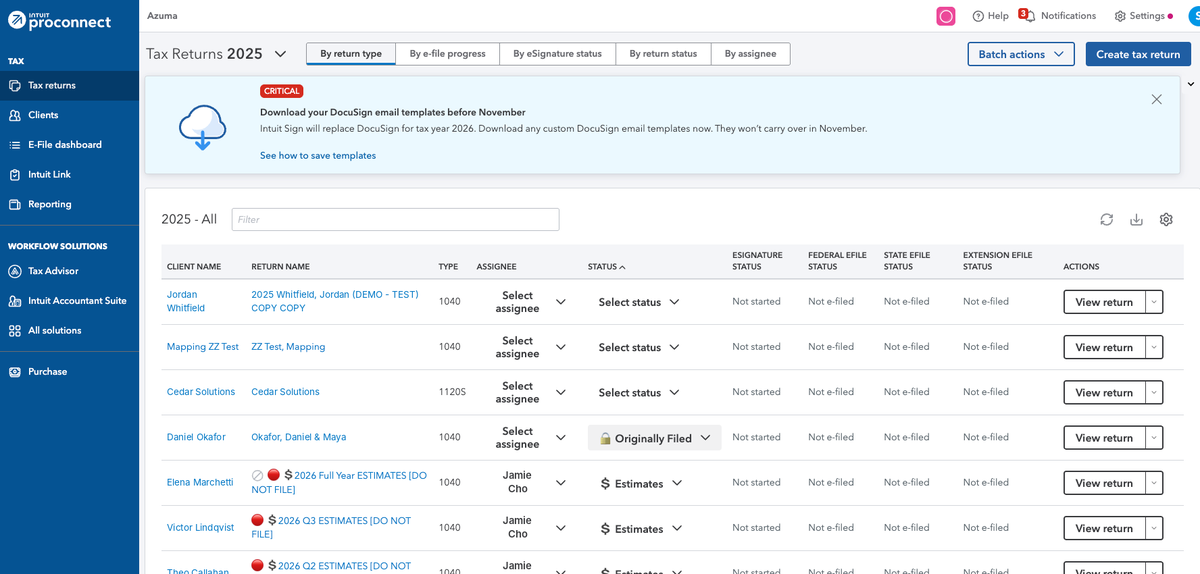
Hide the top box
One button tucks away the status cards, the tabs above them and Intuit's announcement banner, so the list gets the screen.
Smaller fixes
Paste an amount with a $ sign or (parentheses) and it's cleaned up. A red diagnostics count on Check return. Review return opens in a tab. Undo a deleted record.
Dark mode Free
Easier on the eyes through a long season. It covers the whole of ProConnect, tax forms included, and you can pick light, dark, or follow your computer.
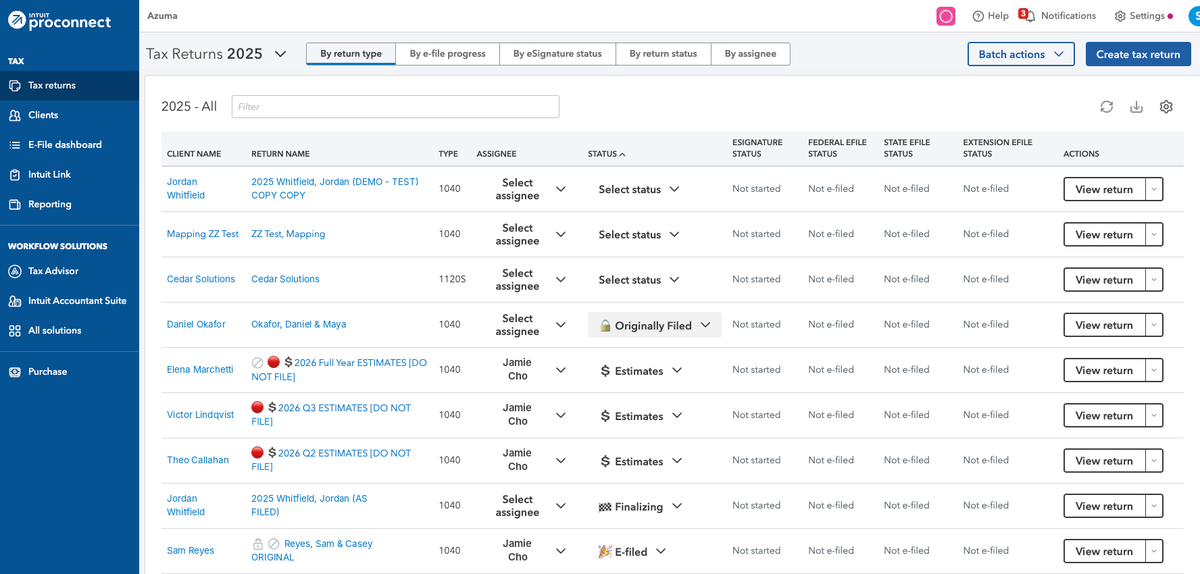
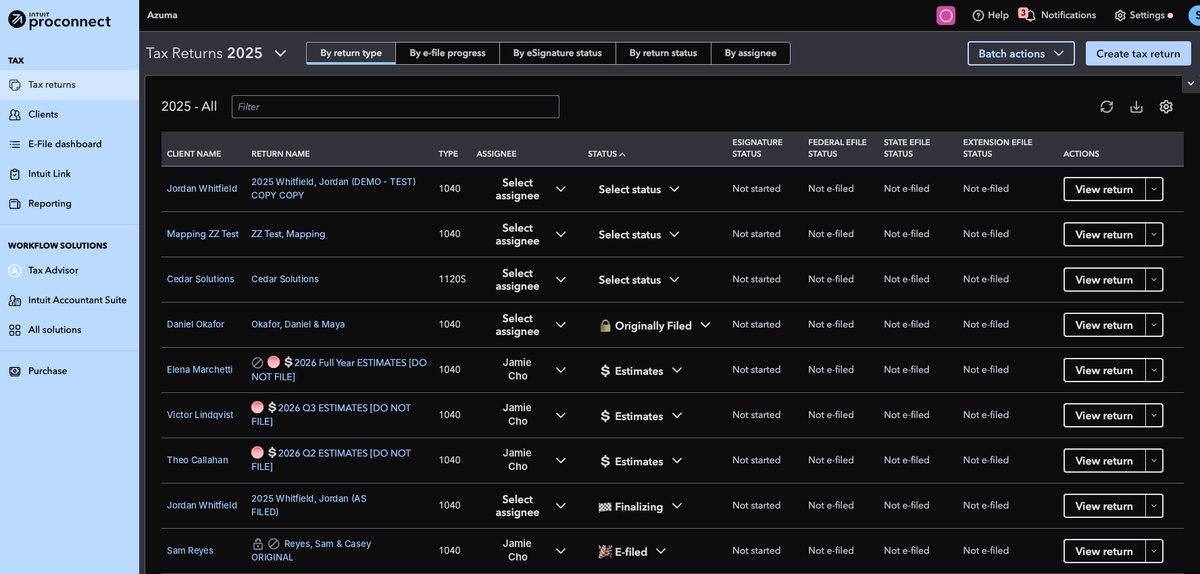
Client names in screenshots are made up.
Hide the top box
Announcements and status cards push your returns halfway down the screen. One button hides them, and Power Tools remembers your choice.
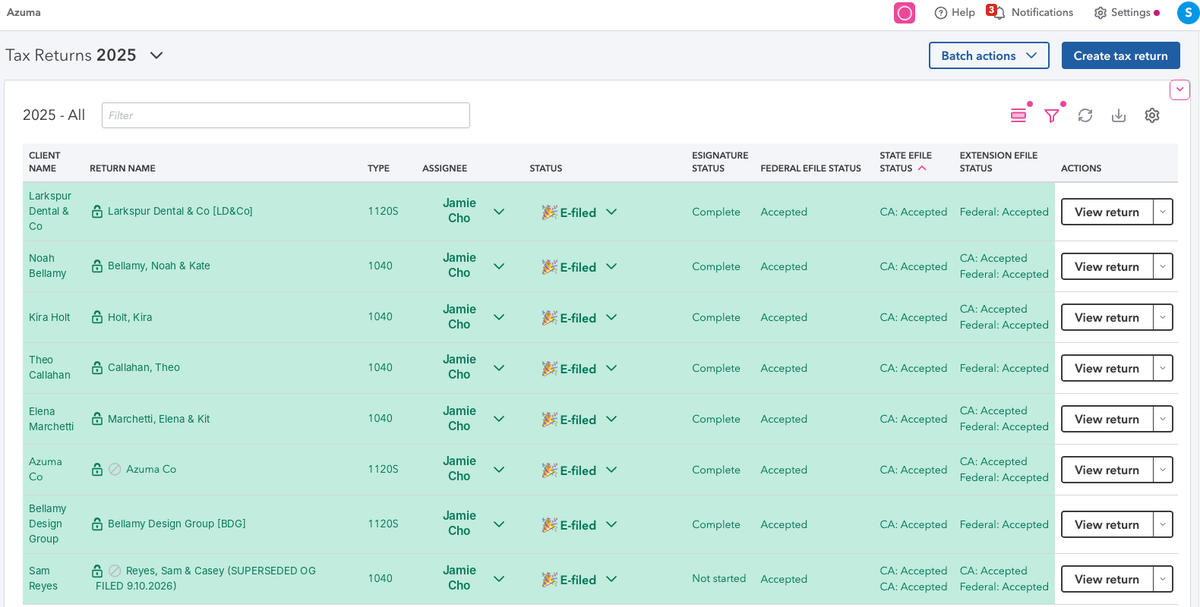
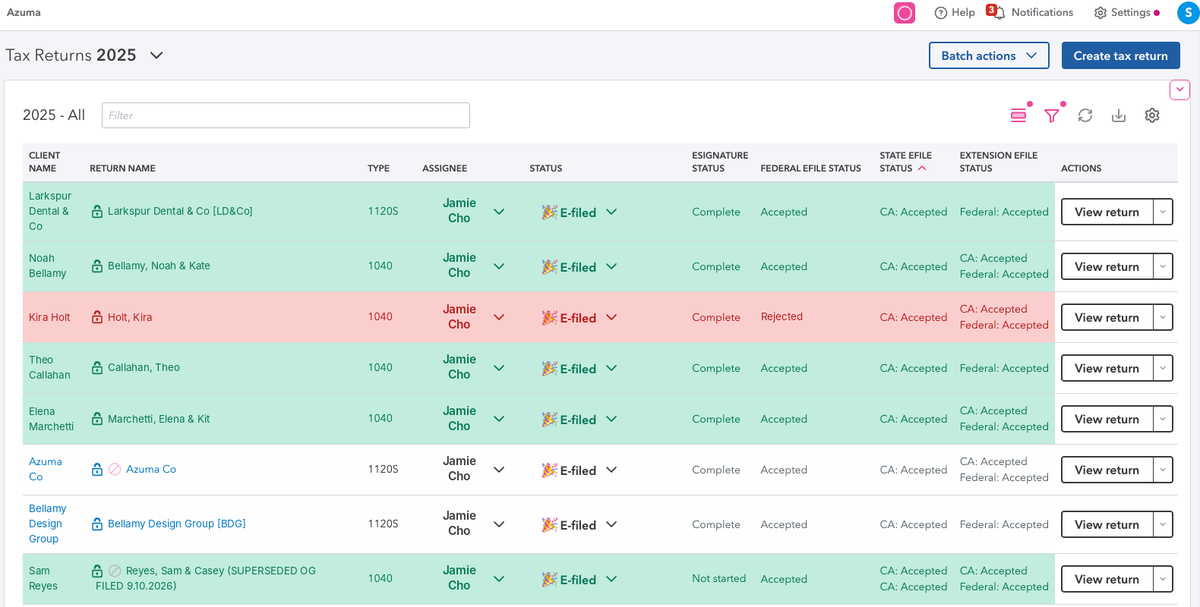
Conditional formatting Pro
Color a whole row by its status, the way you would in a spreadsheet. A rule like “Federal e-file is Accepted” fills every accepted return green, so what's done and what's left stands out without reading a column.
Private by design
It works inside your browser, on your computer. Your checkmarks, flags and settings stay on this computer. A checkmark stores the client and box plus a short fingerprint that can tell an amount changed but can't be turned back into the amount, and nothing at all for a Social Security number, EIN, account number or date of birth. Optional sync is free and needs an account; we never see amounts, SSNs or documents from a return.